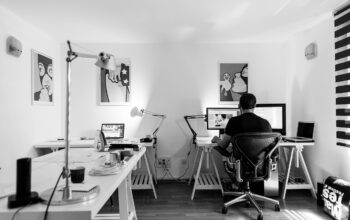
Designers, startups, and small businesses are racing to keep up with the digital world, and the tools they use are evolving just as fast. But this isn’t just about new features or flashy tech—it’s about real people making real things, faster and with more personality than ever. Here’s a street-level look at five trending design tools, along with the stories behind why they’re popping up in daily workflows everywhere.
Canva: The Social Media Workhorse
Think of Canva as the electric kettle of design—easy, speedy, and sitting right there on your counter for everyday use. Take Sarah, a café owner juggling menus, Instagram posts, and loyalty cards. Canva lets her drag, drop, and tweak templates without hiring a designer. The free version covers most needs, but when she wanted branded colors and fonts for her new coffee line, she found herself clicking ‘Upgrade.’ The catch? Some assets are locked behind the paywall. Still, for quick social graphics, Canva is practically the office kitchen—always in use.
Wix: The AI Site Builder for the Rest of Us
Wix’s new AI tools are like having a digital intern—drafting layouts, writing copy, and even picking colors based on your prompts. Picture Tom, a freelance photographer who needed a portfolio site (and fast). He described his style, and within minutes, Wix gave him a working draft, complete with a logo concept. He tweaked it with the drag-and-drop editor, and voilà—a site that doesn’t scream ‘DIY.’ For solo creators and small businesses, Wix is cutting the setup time from weeks to hours.
Elementor: The WordPress Whisperer
For bloggers, agencies, and online shops using WordPress, Elementor has become the secret sauce for making sites look custom without the developer bills. Maria runs a boutique agency for artisans, and with Elementor’s AI Site Planner, she brainstorms layouts in minutes, then polishes with global styles and bold typography. The community is buzzing about its new AI image generator—now Maria can test visuals for a client’s eco-brand without rifling through stock photos. Elementor keeps the WordPress world both flexible and fresh.
Pixlr: AI-Powered Photo Editing, No Degree Required
Pixlr is where AI meets Photoshop Lite. Javier, a social media manager for a travel startup, uses its background remover and generative fill to turn bland hotel shots into eye-catching story posts. The interface feels familiar, but AI tools like text-to-image help him mock up concepts before the photoshoot even starts. The free version has ads and limits, but for on-the-fly edits, Pixlr is increasingly the go-to.
Blender: The Open-Source 3D Artist’s Studio
Blender isn’t just for Hollywood—it’s a full-featured (and free) 3D tool with a passionate, creative community. Anita, an indie game developer, uses Blender to sculpt characters and animate scenes, then exports them straight into her game engine. Recent updates have made sculpting and rendering smoother, and the open-source spirit means she’s always finding new plugins shared by fellow artists. For anyone dreaming in polygons, Blender is the digital clay.
These tools aren’t just about making things look good—they’re about giving people the confidence to think visually, act quickly, and communicate their ideas. Whether you’re a small business owner, a creative freelancer, or a team looking to move fast, these platforms are the unsung heroes turning pixels into possibility.
References:
- https://www.youtube.com/watch?v=wMoo_jxbioM
- https://flippingbook.com/blog/marketing-tips/free-graphic-design-software
- https://www.techradar.com/best/best-ai-tools
- https://elementor.com/blog/2025-web-design-trends-best-practices/
- https://www.accesscreative.ac.uk/blog/10-best-game-design-tools-in-2025/
- https://www.g2.com/categories/graphic-design
- https://insidea.com/blog/ai/ai-tools-for-ui-ux-design/
- https://ditatype.com/11-powerful-graphic-design-tools/